
 Contact
Product information


Speed up tag inspection by 5 milliseconds!
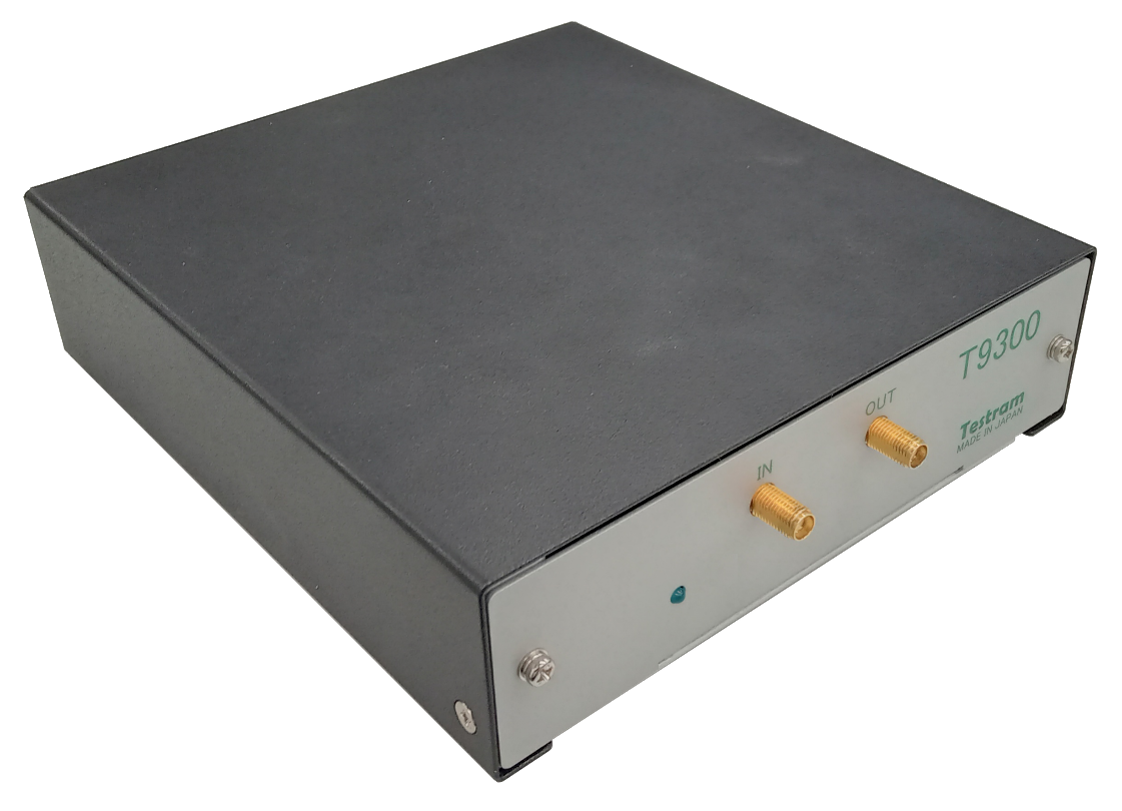
Delivering exceptional value for money! The T9300 is a testing device capable of accurately evaluating the communication performance of UHF-band RFID tags.
We cater to a wide range of applications, from mass production lines to development sites.
Delivering exceptional value for money! The T9300 is a testing device capable of accurately evaluating the communication performance of UHF-band RFID tags.
We cater to a wide range of applications, from mass production lines to development sites.
Features
-
Frequency range (800 MHz to 1300 MHz)
Communicating with UHF tags while step-by-step controlling the frequency and output power,
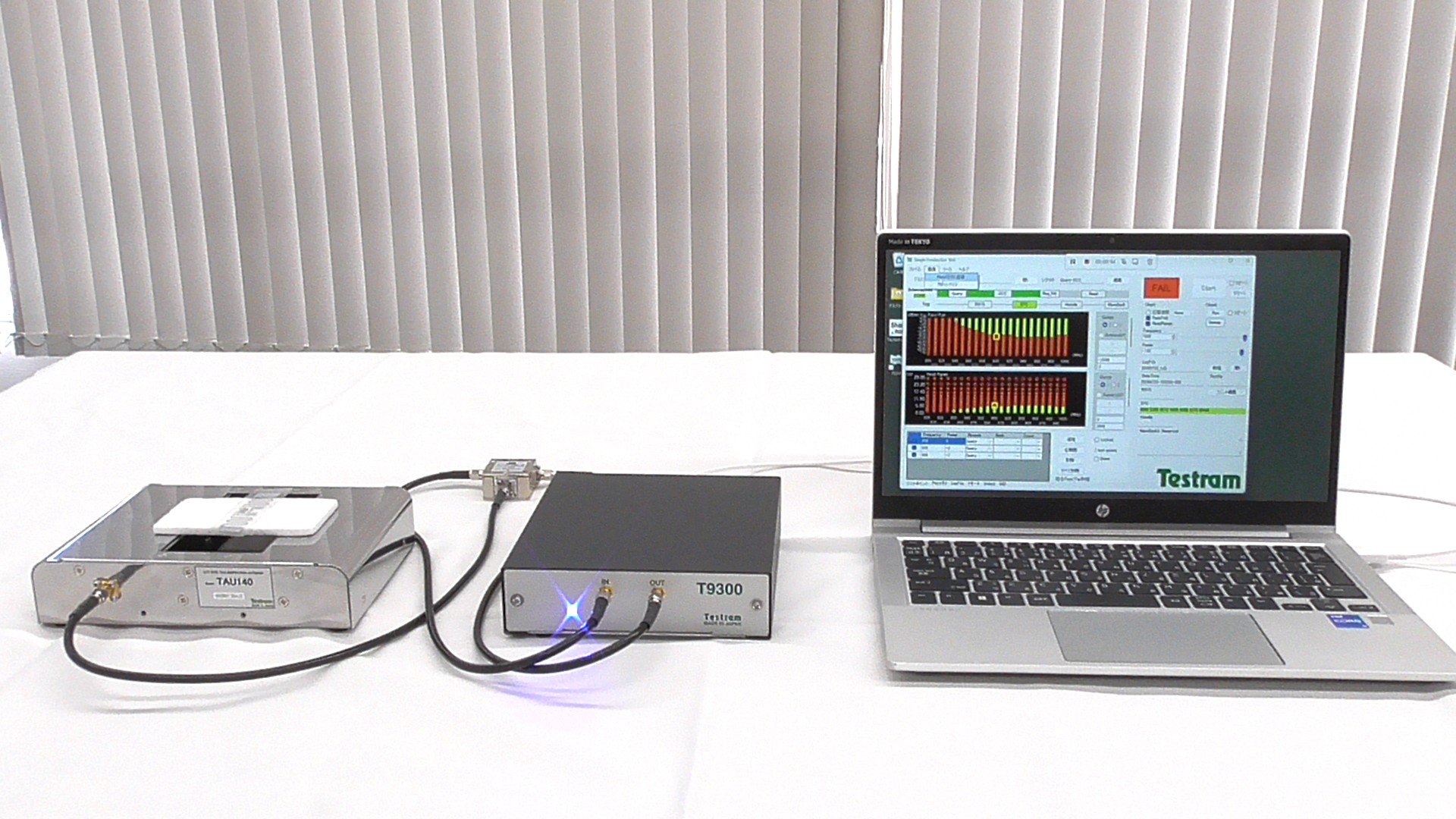
Communication performance can be evaluated using a plot display. - Waveform display of response levels The response strength from the tag is displayed as a real-time waveform, allowing you to visually confirm the communication status.
- Pass/Fail determination at multiple points Set custom inspection points and automatically determine pass/fail results. Supports 100% inspection on mass production lines.
- Automatic inspection using DIO control Inspection is possible via external control using digital I/O (DIO) signals.
- Easy-to-use dedicated software No complicated setup is required. Anyone can start testing right away.
-
Inclusion of a sensitivity test function
By displaying specific numerical values, you can perform a more accurate sensitivity test.
The video above was filmed by our company.
If you are considering purchasing this tester or would like to request a demonstration, please feel free to contact us.
Optional UHF Band Booster TBU1000

|
Specification
|
|
|
Communication protocol
|
EPC Gen2
|
|
Modulation method
|
Interrogator.100% ASK
|
|
encoding method
|
Sent:PIE
Received:FM0 |
|
Transmission frequency
|
Setting: 800MHz to 1300MHz, 1MHz step
Accuracy: +/-20ppm |
|
Transmission power
|
Setting:-25dBmto+15dBm(0.03mWto31.6mW),
0.1dBmsteps Accuracy:+/-1dBm |
|
communication scenario(Simultaneous sensitivity testing possible)
|
Send Query ~ Receive RN16
Send Query ~ Receive EPC (ACKresponse) (496bit Max) Send Query ~ Receive Handle Send Query ~ Mem Bank Read (12words Max) |
|
Sensitivity test
|
|
|
Numberof testpoints
|
PC linked mode: 512 points
Remotemode: 31 points |
|
Inspection time
|
Reception test point 1 point: 5ms (Query sent ~ RN16 received)
|
|
file output
|
Inspectionlog(outputinSQLiteandCSVformat)Screenshotof inspection
screen(jpgformat) |
|
Operation Mode
|
Manual (manual operation)Remote(digital I/O(DIO))operation, stand
alone(DIO)operation |
|
DIO Circuit Format DIO
Typical Characteristics |
Isolated(photocoupler) input/outputOutputpins:VCC=24V, Iout<20mA, residualvoltage<1V
|
|
DIO pin absolute maximum ratings
|
Input terminal: input current 50mA, reverse voltage 6V Output
terminal: forward voltage 40V, reverse voltage 6V, sink current 100mA, power dissipation 120mW/ch |
|
Power
|
USB Type-C Port(+5V, current consumption 900mA.)
|
|
Operating temperature
|
23 +/-5℃(within ±3℃ of the temperature at which calibration is performed)
*No condensation |
|
Dimensions, weight
|
Main unit: 155 (W) × 165 (D) × 42 (H)mm (excluding protrusions) / approx. 1.2kg
Duplexer: 38 (W) × 35 (D) × 20 (H)mm (excluding protrusions) / approx. 0.2 kg |
|
System requirements
|
Windows 10 or 11 Core i5 or higher
(A higher-performance model is recommended if possible). USB Type-C(USB 3.0 or higher) Display resolution 1280x1024 or higher |
|
appendage
|
Duplexer, coaxial cable(1m×2pcs),
Type-C cable (1m×1pcs/USB 3.0 or higher), USB Memory. |
|
Sold separately (antenna)
|
|
* Inspection time depends on the PC used, the inspection settings of the unit, and the characteristics of the object to be inspected.
* To ensure high accuracy, leave the unit for 30 minutes after power-on before use.
* Design and specifications are subject to change without notice.
* To ensure high accuracy, leave the unit for 30 minutes after power-on before use.
* Design and specifications are subject to change without notice.
Download Application Software
-
Click the button below to go to the page dedicated to downloading the T9300 application software.
-
Password is required for the dedicated page.